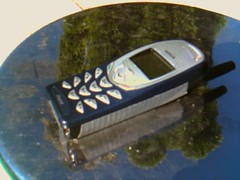
With the total shutdown of Australia’s 3G network, telecommunications providers across Queensland are now actively reallocating the older network frequencies to boost 4G and 5G coverage. Overall speeds are improving — but the change has created some unexpected hiccups for older phones, and more importantly, for devices most people forget about entirely: medical alarms and security diallers.
The VoLTE requirement
To make regular phone calls on the modern network, your phone must support VoLTE — Voice over LTE — which simply means it makes calls over the 4G data network instead of the old 3G voice network that no longer exists. Most phones sold in Australia in the last five or six years have it.
The catch is some older 4G phones — particularly models imported from overseas or bought through online marketplaces — use 4G for internet data but still relied on the older bands for voice calls. They browse the web fine, which makes the problem easy to miss. If your phone loses signal frequently, drops calls suddenly, or only fails when you try to make a call while mobile data still works, it may not be fully compatible with Queensland’s current network standards.
Check your medical and security alarms
It is not just phones. Older personal medical alarms, security system diallers, and even some older mobility scooters used 3G or legacy 4G modules to call for help. Unlike a phone, these devices give no obvious warning — they sit quietly on the bedside table or in the hallway looking exactly as they always have, right up until the day they cannot call anyone.
If you or a family member relies on any of the following, check the model or call the provider today:
- Personal and medical alert pendants or wrist alarms that are more than a couple of years old
- Monitored security systems that dial out to a monitoring centre
- Older mobility scooters and assistive devices with a built-in help or emergency call function
How to check in two minutes
- Make a test call. If calls work normally, your phone is fine — VoLTE-capable phones usually show 4G or VoLTE in the status bar while you are on the call.
- Test the alarm itself, not just the power light. Press the test or help button on medical and security alarms and confirm it actually connects. A green power light tells you nothing about the mobile network inside.
- Ask the provider. Alarm companies and security installers know exactly which of their models survived the shutdown and can confirm yours in one phone call.